In earlier posts we wrote about identifying prospective sites for restoration and about listening to them with bioacoustics recorders.
This post looks at a question every restoration team asks about a site: which trees grow there, where they grow, and how many of them are native or invasive?
Why map tree species?
Delhi’s Ridge forests, including Sanjay Van, are dominated in many places by Vilayati kikar (Prosopis juliflora), an invasive tree planted about a century ago. It crowds out native trees such as acacia and supports little of the local wildlife. Whether the work is removing invasives, protecting native stands or replanting, it is planned patch by patch. Each patch needs a map of what is growing in it.
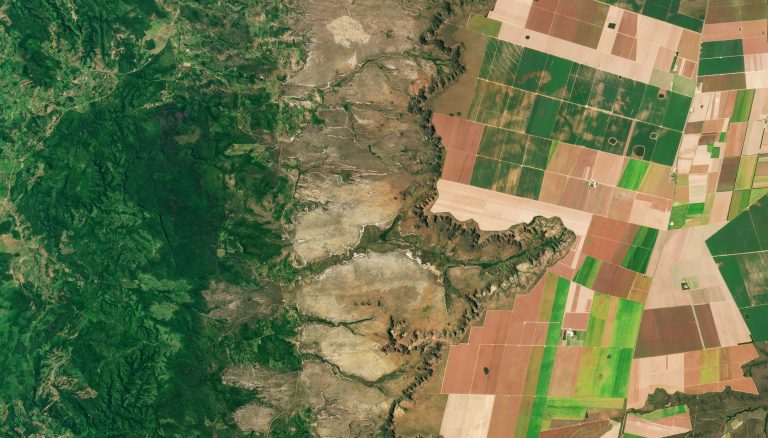
Marking trees on foot takes days and covers little ground, and a handheld GPS can place each tree several metres off. Drone surveys are now cheap, and one flight gives a sharp orthomosaic of the canopy. What was missing was a tool to turn that image into a species map without first labelling hundreds of trees for every new site.
From orthomosaic to species map
We built this as a web service. A user signs in, uploads a GeoTIFF orthomosaic and gets a map of every tree crown with a species label. The pipeline has five steps:
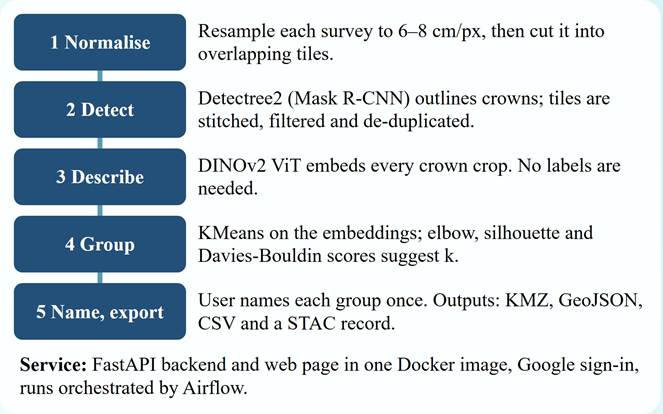
Figure 1: The five steps of the pipeline.
- Normalise. Each survey is resampled to about 6–8 cm per pixel, the resolution the detector works best at, and cut into overlapping tiles.
- Detect. Detectree2, an open-source Mask R-CNN model, outlines each tree crown. Tiles are stitched back together and duplicate crowns from the overlaps are removed.
- Describe. Each crown is cut out and passed through DINOv2, a vision model that turns it into a feature vector. No labels are needed here.
- Group. KMeans groups crowns that look alike. Elbow, silhouette and Davies-Bouldin scores suggest how many groups (k) to use, and the user can pick any k.
- Name and export. The user looks at sample crowns from each group and names the group once. Every crown in it gets that name.
Settings matter
We tried this on a 228 × 263 m orthomosaic of Sanjay Van at 2 cm per pixel. With the default settings the detector found only 173 crowns and missed most of the canopy. The service has a Guide tab that lists common symptoms (“big crowns missed”, “far fewer trees than you see”) and the setting to change for each. Following it, we changed tile size, buffer, confidence threshold and maximum crown area. The second run, on the same image, found 783 crowns.
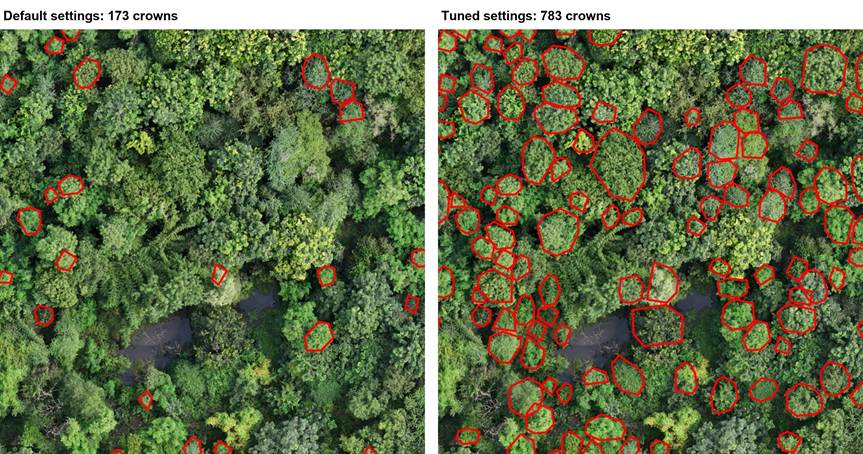
Figure 2: Same patch of forest, default settings on the left and tuned settings on the right.
Every run keeps its own settings and outputs, so both runs can be compared side by side and either one repeated later.
Grouping and naming
After detection, the review screen shows the crown map, the plots used to choose k, and a t-SNE map of all crowns.
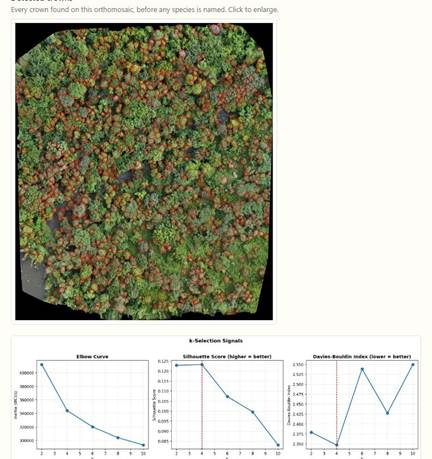
Figure 3: Review screen: detected crowns and the k-selection plots.
For this site we chose k = 2. The service shows five sample crowns from each group, picked from those nearest the group centre:
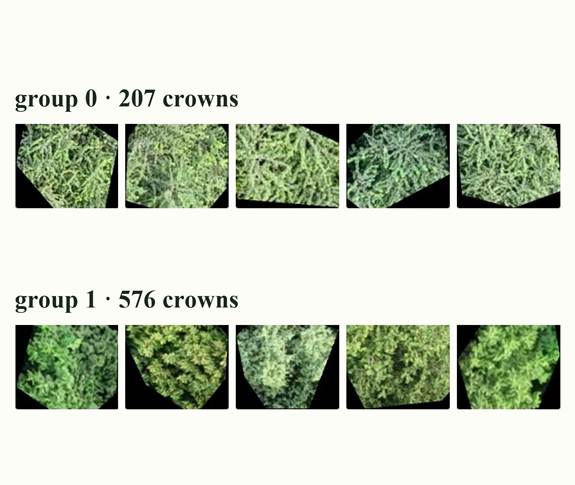
Figure 4: Sample crowns from the two groups.
We named group 0 acacia and group 1 non-acacia. That split 783 crowns into 207 acacia (26%) and 576 non-acacia (74%).
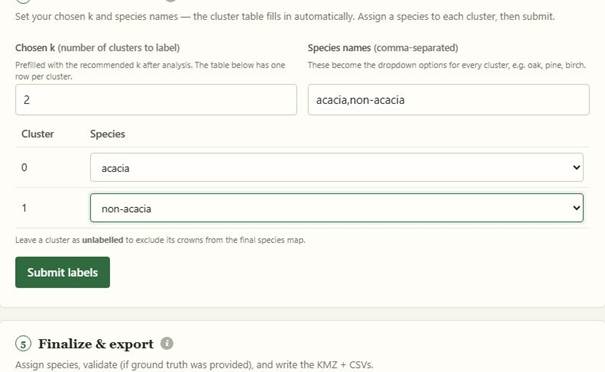
Figure 5: Naming each group once.
These groups come from how the crowns look from above. They have not yet been checked against field data for this site. If a field team uploads ground-truth points, the service checks the map against them before export.
What you get
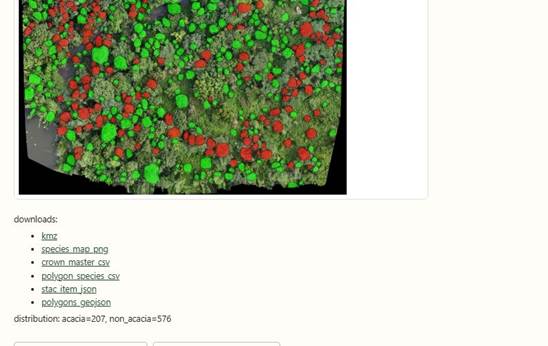
Figure 6: Final species map with the download links.
Each run produces:
- a species map (KMZ) that opens in Google Earth or any GIS tool
- CSV and GeoJSON tables with every crown, its outline, location and species
- a STAC record of the imagery, model and settings used, so the map can be catalogued and traced back
All outputs of a run sit in their own read-only folder, shared through a FileBrowser link that anyone can open in a browser.
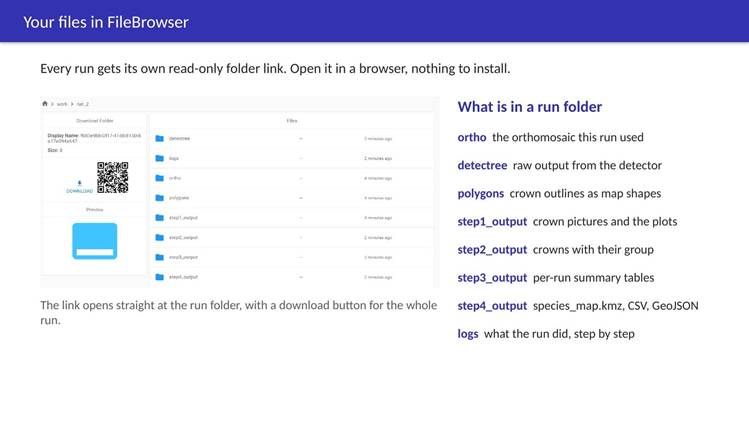
Figure 7: A run folder in FileBrowser.
Try it
The service is deployed at www.cse.iitd.ernet.in/act4dws5/drone/.
The Walkthrough tab has a short guided tour, and you can watch the demo video of a full run on YouTube.
Next, we will extend the service to map the whole forest, not just tree crowns: open land and water bodies as well, so that one survey gives a complete land-cover map of a site. We also want to repeat surveys of the same sites, to track how the mix of trees changes as restoration goes on.
If you have feedback, find a bug, or have a site where you’d like to try this, write to us at mcs252102@iitd.ac.in.
Team: Susmit Mahato and Aaditeshwar Seth, IIT Delhi.